Kato Unitrack · N & HO · iPad
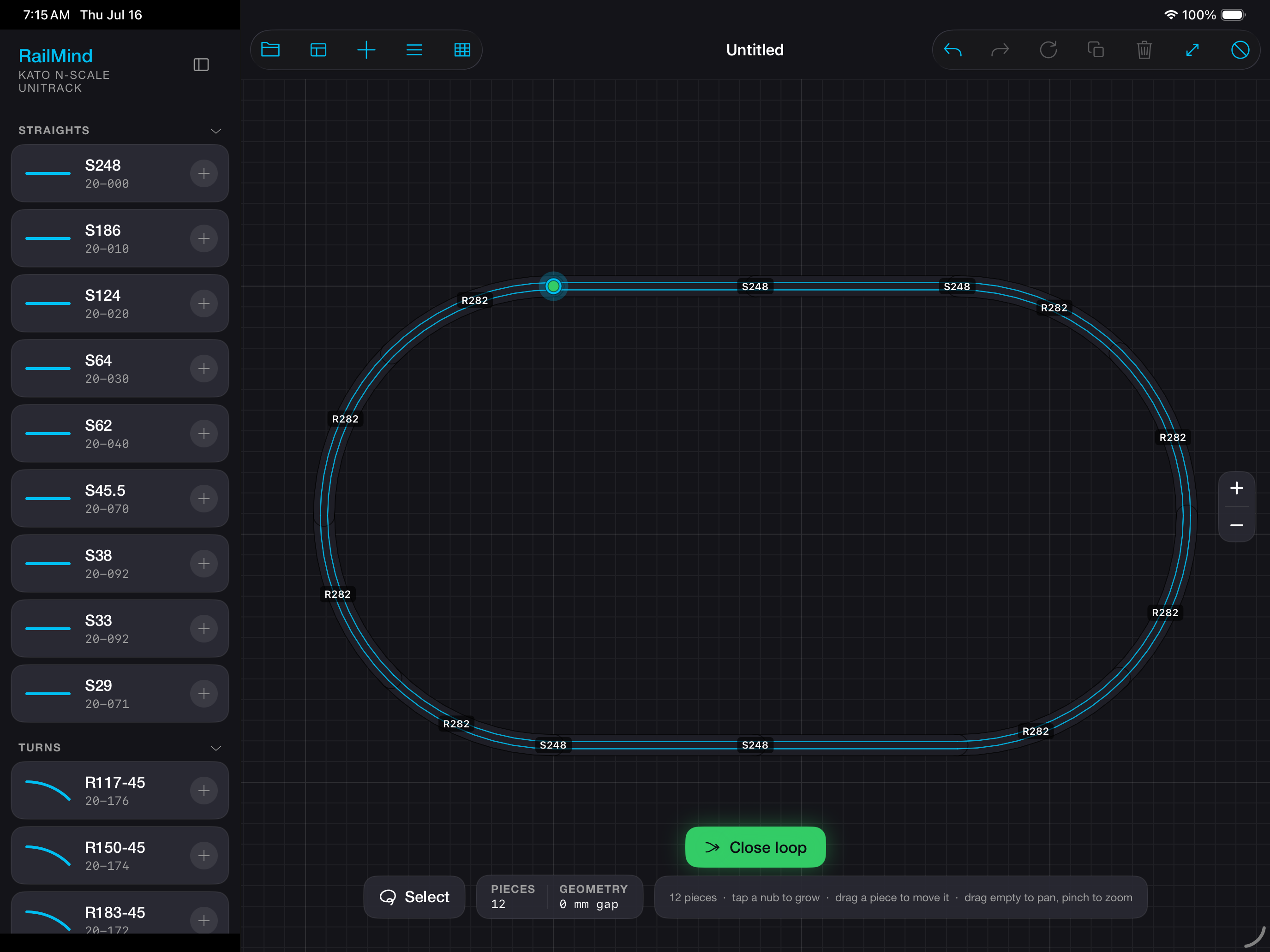
RailMind is a Kato Unitrack layout editor for iPad — N and HO scale. Pieces snap only where real Unijoiners connect — so every plan you draw is physically buildable on your table.
01 · Geometry
It only snaps where Unijoiners snap. Pieces join end-to-end exactly, and only where a real joint exists in the Kato geometry — there is no near-enough. Open endpoints read as green dots; when a loop closes, it closes because the arithmetic does. Every plan is buildable by construction, not by inspection. RailMind cannot draw you a plan you can’t build.
02 · Catalog
Every piece you can place is a real Kato Unitrack part. In N: straights, curves with their radii labeled, #4 and #6 turnouts, crossings, the 20-210 double crossover, bridges, viaducts and the 20-283 electric turntable. In HO: straights, curves, turnouts and the 90° crossing — Kato’s full HO Unitrack range, which is where Kato’s HO range ends. Rail families carry their own tints so a dense plan stays legible at a glance. If it is on the canvas, it has a part number.
| Piece | Part no. |
|---|---|
| Straight S248 | 20-000 |
| Curve R282 · 45° | 20-110 |
| #6 Turnout L · R718 | 20-202 |
| Double crossover | 20-210 |
| Truss bridge S248 | 20-433 |
03 · Editing
Slide a piece and it settles onto the nearest valid joint. Rotate at 15°, 30°, or 90°, or free-rotate with a soft snap that catches on real geometry. Sweep a marquee to multi-select, then move, copy, paste, or parallel-copy a whole run to lay a second track beside the first. Undo and redo cover everything, because design is mostly changing your mind. Set your board or table dimensions and choose the grid you think in — 1 inch, 1 foot, or Kato’s own 124 mm. It is the closest thing to pushing track around the plywood without getting up.
04 · Parts list
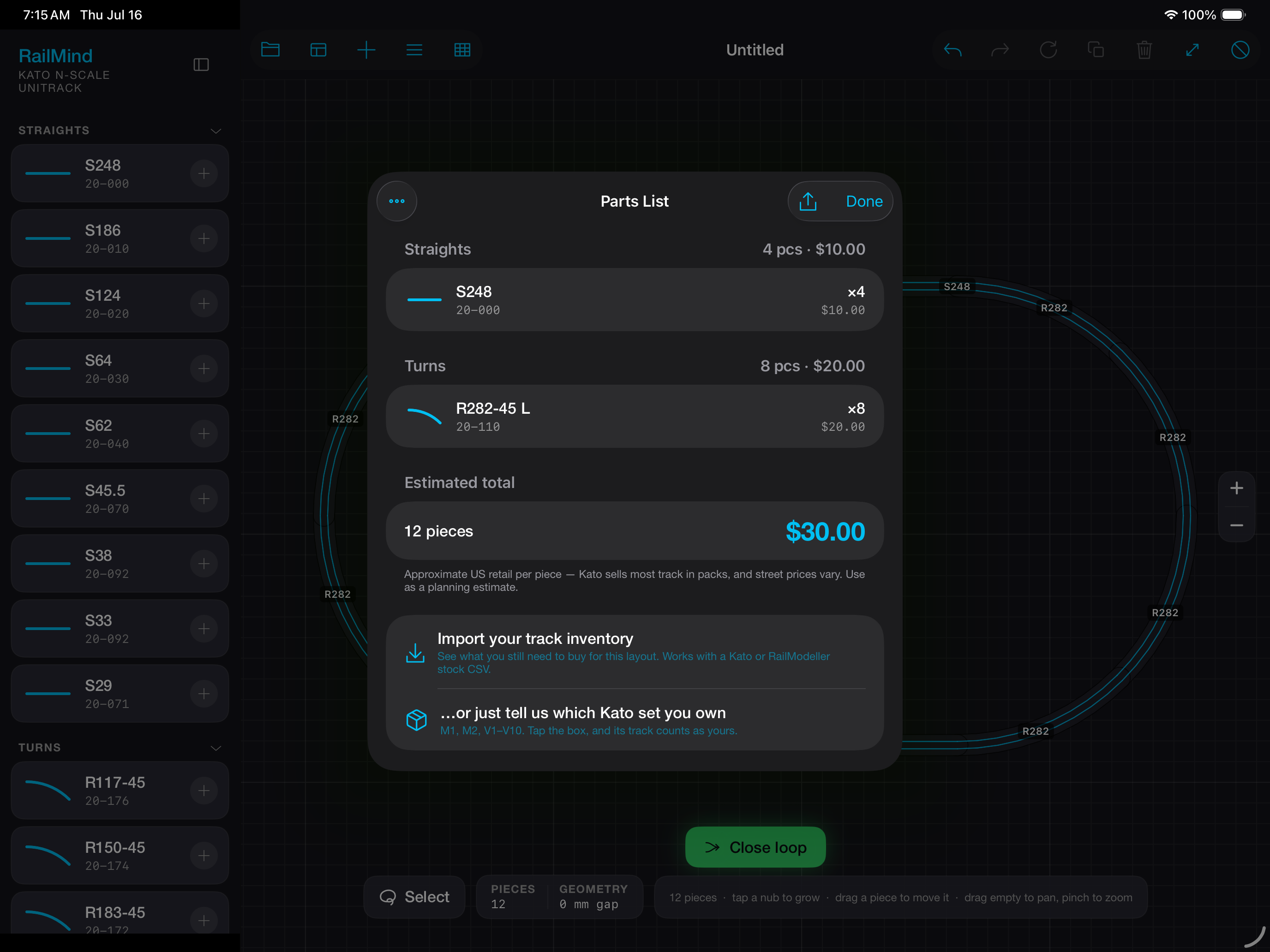
Every plan produces a parts list with quantities, curve-radius labels, and approximate US MSRP. Import your stock as a CSV from Kato or RailModeller inventories, and the list becomes exactly what you still need to buy for this layout — pieces you already own drop out. Existing RailModeller .layout files open directly.
05 · Example layouts
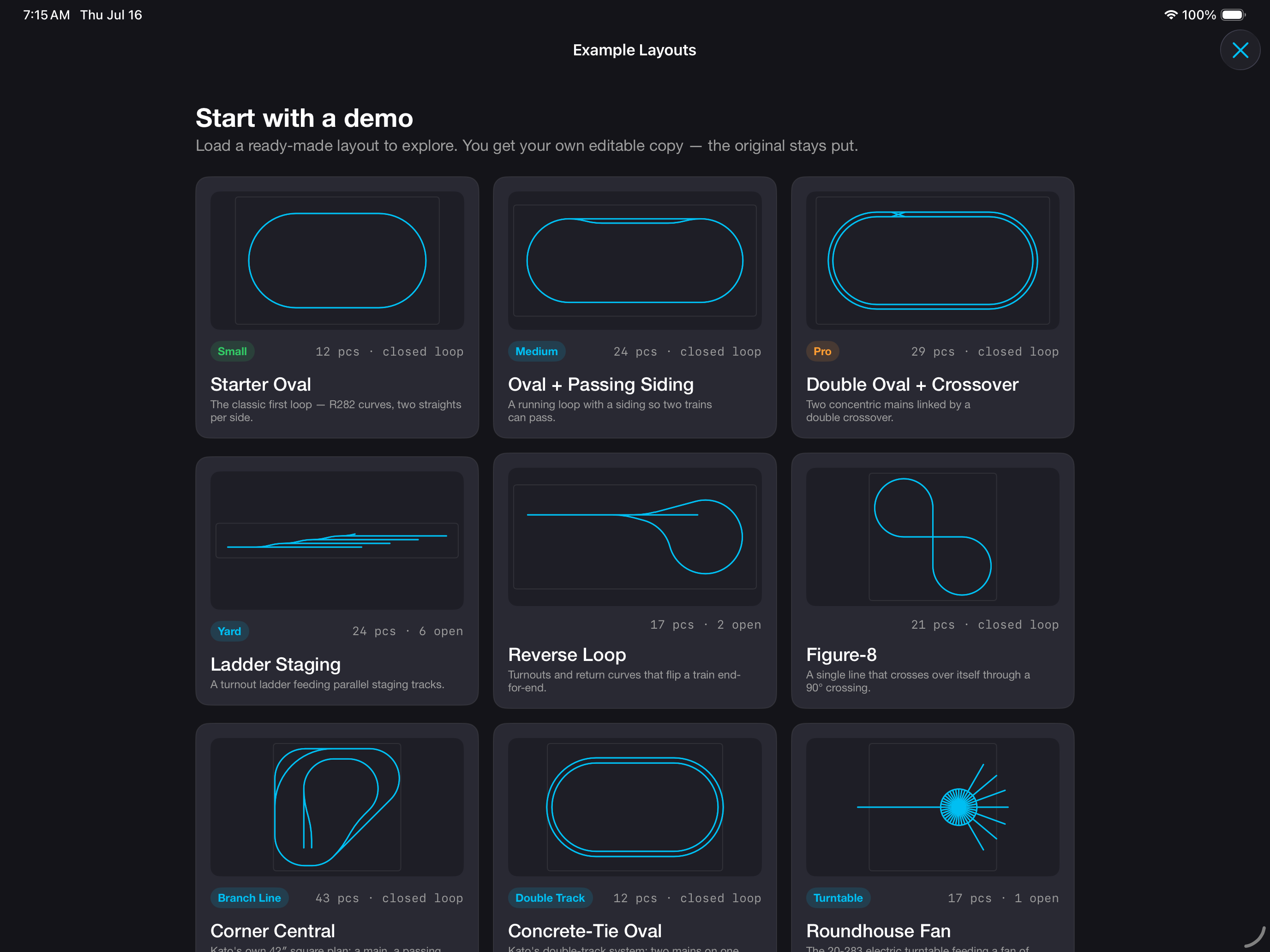
RailMind ships with twelve authored example layouts — nine in N, three in HO — buildable as drawn, with real parts. Open one to study how it is put together, or take it as the base of your own plan.
The classic first loop — R282 curves, two straights per side.
A running loop with a siding so two trains can pass.
Two concentric mains linked by a double crossover.
A turnout ladder feeding parallel staging tracks.
Turnouts and return curves that flip a train end-for-end.
A single line that crosses over itself through a 90° crossing.
Kato’s own 42″ square plan: a main, a passing track, and a branch to two stubs.
Kato’s double-track system: two mains on one slab, at the 33 mm centre.
The 20-283 electric turntable feeding a fan of engine stalls.
The first HO Unitrack loop — R490 curves, two S246 straights per side.
A big HO running loop on sweeping R610 curves and long straights.
#6 turnouts and R867 curves drop a siding on Kato’s 60 mm track centre.
06 · Operating conditions
RailMind runs entirely on your iPad. It requires no account and collects no data of any kind. There is no AI anywhere in it — every line on the canvas comes from Kato’s published geometry and your own hands. Your plans never leave the device. The one thing that touches the network is buying the unlock, which Apple handles end to end; we never see who you are. Everything else works in airplane mode.
07 · Pricing
Download RailMind free and build up to 10 pieces — enough to close a simple oval, with nothing withheld: the full catalog, real snapping, the parts list, every example layout. One in-app purchase of $29.99 lifts the limit forever. That is the only purchase in the app: not a subscription, not a trial, no unlock packs, no per-piece fees, no ads. Buy it once and it restores on every iPad you own.
08 · FAQ
Only to buy or restore the unlock — Apple’s App Store needs a connection for that, as it does for any purchase. Everything else runs fully offline: drawing, snapping, saving, the parts list, imports and 3D all work in airplane mode. RailMind requires no account and collects no data of any kind, and if you stay on the free tier it never connects to anything at all.
Really. No layout generation, no suggestions, no assistant. Track geometry comes from Kato’s published dimensions, snapping is deterministic, and every plan is the result of your decisions, not a model’s.
No. RailMind is free to build with up to 10 pieces, and one in-app purchase of $29.99 lifts the limit forever. That unlock is the only purchase in the app — no subscription, no ads, no unlock packs, no per-piece fees, ever. It restores on every iPad signed in to your Apple Account. The app you buy is the app you own.
All of it, up to 10 pieces: the full Kato catalog in N and HO, real snapping, close-the-loop, the priced parts list, inventory and RailModeller import, 3D, and all twelve example layouts. Nothing is watermarked or withheld — the only limit is how many pieces a plan can hold. Opening an example bigger than 10 pieces works fine; you just can’t grow it until you unlock.
Kato Unitrack, in both N and HO scale. In N: straights, curves, #4 and #6 turnouts, crossings, the 20-210 double crossover, bridges, viaducts and the electric turntable. In HO: straights, curves, turnouts and the 90° crossing — Kato’s full HO Unitrack range. Support is deep rather than broad — one system’s geometry, done exactly.
Yes. RailMind opens RailModeller .layout files directly, and imports stock CSVs from Kato or RailModeller inventories so your parts list shows only what you still need to buy.
An iPad running iPadOS 18 or later. Nothing else — no account, no companion hardware, no connection.
No — planning and driving are different jobs. Our sibling app RailThrottle drives real DCC trains through JMRI.
RailMind for iPad. Requires iPadOS 18 or later. No account, no tracking, no AI — every plan you draw is buildable as drawn. Free to try up to 10 pieces.